Friday, August 28, 2015

Set the traps! We have an infestation!

Of course, I don't mean an actual living mouse (or mice, as the case may be). I am, of course, instead referring to the pointing device that connects to a person's computer. Over the years, I've gotten very familiar with the personal computer, and I have seen several different types of these buggers over the years, especially while working in the field of recycling electronic waste. Probably the biggest improvement we've made this century is eliminating the need for that stupid ball that every high school kid (except me) has stolen at least once, and replacing it with an optical sensor that is almost akin to a robotic eye, as seen below.

Mechanical v. Optical mice, as shown in this diagram.

Most of these come in the form of two or three buttons. Others, especially those made by Apple, usually only have one gigantic button, or a sensor that can mirror either one button or two. In recent years, although probably as far back as Windows 98, manufacturers started replacing the middle button with a scroll wheel instead of the full middle button. This made browsing web pages easier, as well as file folders and other programs where all of the information presented to the user could not fit on the screen at one time. Somewhere along the line as well, some internet user(s) that designed mice for a living also decided that they were too lazy to click the browser buttons on their computers, and so we also started seeing "browser buttons" on mice as well, such as the IBM Optical Navigator Mouse (not actually manufactured by IBM, but whatever).
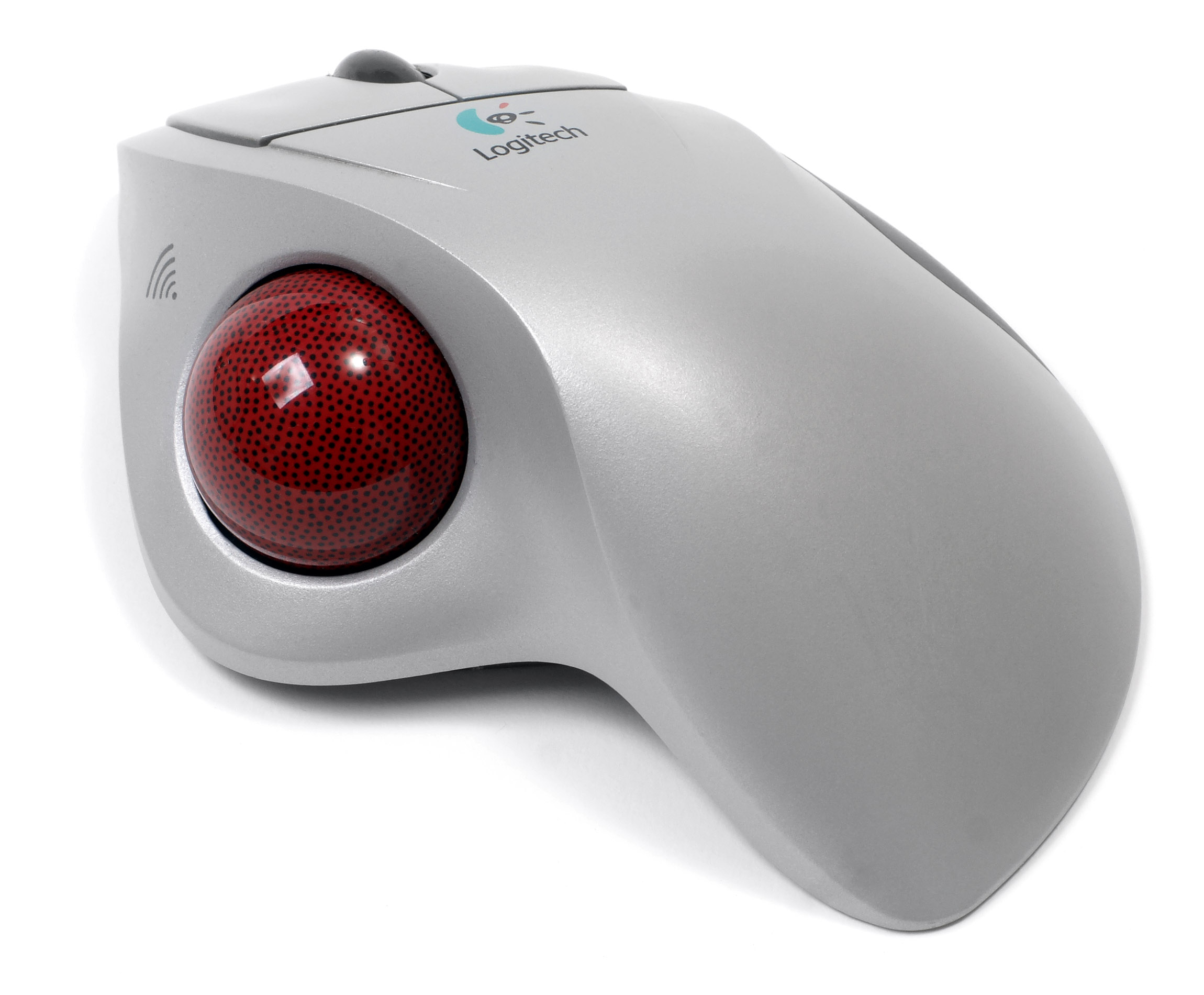
Logitech trackball with scroll wheel. 

Before the rise of the optical mouse, however, we saw the rise of the trackball. Apple was probably the only manufacturer to actually include it on a laptop, but don't quote me on that. With practice, proper care, as well as proper usage, they can prove themselves to be quite useful, especially for the trade of computer graphic design. I remember using one a lot throughout my childhood because my father preferred them to traditional mice. In that respect, they are still easier to clean than a mouse, but still not practical unless you're the exact niche audience for using one. Personally, I still say get me an optical mouse any day over this.
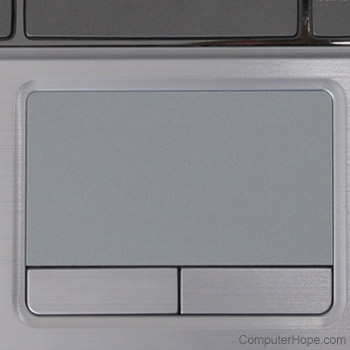
An example of a touch pad, as outlined above. 

And then there's this thing. Originally a laptop exclusive, Apple has tried making them mainstream in their desktop market, although the success rate, as far as I'm concerned, is unknown, because I am not an Apple enthusiast. In recent years, manufacturers have tinkered around with how to "improve" them, such as streamlining the buttons, which makes the scrolling surface bigger, to adopting previous niche features, such as Apple's two-finger click  for right-clicking. Personally, I still prefer a mouse, but if I had to use a touch pad, I'd prefer one with two physical buttons and a smaller scrolling area. Sure, that might make me a simpleton, but if it isn't broke, don't go looking for a fix to it "just because."


Friday, August 21, 2015

uDraw? So do I!

Okay, now that I have the bad pun out of the way, on to the post! So today I went to the Second and Charles location in Aurora with my brother and his family, and after some careful decision making, I splurged and bought myself a uDraw tablet for the Wii. Initially, I had considered purchasing the Xbox 360 or PlayStation 3 version, because both of those would be easier to connect to a Windows computer. However, today felt different. Before all of this started, we went to the Denver Fire Fighter's Museum (more on that in my Memoir, 'Exodus,'). At some point we also had lunch at McDonald's and then we finally went to the above mentioned store.


uDraw tablet with stylus and Wii Remote attachment showing.

uDraw Tablet and uDraw Studio GameBox.

Last time I had been to the store, they had the uDraw tablet available for at least two, but possibly three consoles: Xbox 360, PlayStation 3, and Wii--the PS3 version is the one I can't necessarily vouch for. This time, I had only been able to spot the Wii version, and the price was reasonable. For only ten dollars (plus the obligatory sales tax) I was able to get the Wii version of the tablet, which, except for the attached stylus, is basically a hollow plastic shell with a nun chuck-style cord dangling off of it, and a rectangular hole for the Wii remote to stay in place, and the game uDraw Studio. After trying the game, I noticed that in a nutshell, it was a glorified coloring book with a few other features, and was almost as fun as Mario Paint (in fact, I kind of wish they would port a version of that particular game to use with the accessory). 


uDraw tablet with stylus docked and Wii Remote docked.


Since it relies on the Wii Remote for base control, having to aim the tablet just right was a bit of a challenge at first, but within minutes, I was able to aim the tablet correctly and use the stylus to color in pictures with minimal issues. As of this writing, I am still figuring out which tool does what, as well as how to color in using the stylus, but the potential for the product seems promising, especially because there is a variation of the board game 'Pictionary' available as a separate purchase. 


Drawing tools interface of uDraw Studio, as show through the Wii U GamePad.


Wednesday, August 19, 2015

Namco and Nintendo: Let's Rekindle a Match Made in Heaven!

My brother Matt over at Syntactic Sugar was having a discussion with me earlier today, and the subject of games for the Wii U came up. Well, since I own the console, and use it quite often, this is one of my favorite subjects, because I like to see what kind of games can utilize its hardware to its fullest potential. After much discussion, I settled on five that I would love to see at some point, either in disc form, or downloadable content from the Nintendo e-Shop:

5) Pac Pix -- This is one that my brother initially suggested, and given that Nintendo has bee porting Nintendo DS games to the Wii U's virtual Console, I see it as a distinct possibility. While it wouldn't be my first choice of game, I could see myself playing it on the condition of Namco fixing the stupid rule that the player absolutely has to draw Pac-Man a certain way or lose a life.

Screenshot of Pac Pix for Nintendo DS

4) Pac Man Championship Edition -- Initially, my first experience playing this game was on an arcade machine at either Dave & Buster's or Scene 75--probably the latter, since I have been there more recently. My first impression was excitement with a hint of giddiness, as well as disappointment when I initially couldn't play it at home. After I obtained the Roku 2 XS, however, this disappointment changed to excitement and happiness when I realized that the game was available in the Roku Channel Store. Regardless, however, it would be nice to play the game without having the television running.

Screenshot of Pac Man Championship Edition - Xbox 360 Version

3) Pac And Roll -- This is another Nintendo DS game that would work perfectly well if it was ported to the Nintendo DS, and compared with Pac Pix, it doesn't have any stupid or arbitrary rules for how to set up Pac Man in a certain way. Again, since Nintendo has started porting the Nintendo DS library to the Wii U, I see more likeliness of this game happening than not. I'm not crossing my fingers, or holding my breath, but it's nice to show a little optimism sometimes, providing it doesn't come back to haunt later. From the screenshot, the closest way to describe it is "Super Monkey Ball with Pac Man."

Screenshot of Pac and Roll. Looks like Super Monkey Ball, right?!

2) Katamari Damacy -- As much as I hate to disrupt the theme of Pac-Man, my second best choice for a Namco game being ported to the Wii U would be this. Between the Wii U having the dual-analog controls, as well as the convenience of off-television play, this game seems as though it would be a no-brainer for the console. Plus, to make things even more interesting, there could be an extra mode or controller setting that allowed the player to use the Wii U's gyroscopic motion controls along with or instead of the dual analogue joysticks. Perhaps I'm the only one whom feels this way, however, maybe if enough people read this, demand will start to churn.

Screenshot from the PlayStation 2 Game 'Katamari Damacy'

1) Pac Man Vs. -- With other games for the Wii U supporting five players at once, such as Super Mario Brothers/Luigi U, I feel that the fact that this game DOESN'T exist for the Wii U is a crime against humanity. With both the GameCube and Nintendo DS versions, only three players could play ghosts while one person played a round of Pac-Man. My theory is that a person can use the Wii U Game Pad as a fifth controller, in the same respect that New Super Mario/Luigi U does, however, instead of just providing extra platforms in the respect that 'New Super' does, instead, the fifth player plays a round of the game Pac-Man on the Game Pad screen while the other four players -- yes, four (the GameCube version had three) play as the otherwise non-playable ghosts 'Blinky', 'Pinky', 'Inky', and 'Clyde' -- or 'Sue' if you're playing Ms. Pac-Man.

And that's another thing. Since we already had Pac Man Vs. on both home console and portable, I feel that this new port of Pac Man Vs. should be 'Ms. Pac-Man' themed. Not only would it be a nice change of pace, but it would also round up fans who preferred the sequel anyway. And with that, I leave you with this final screenshot of Pac Man Vs. for the Nintendo GameCube. It was the first result to pop up on Google Images:

Pac Man Vs. for Nintendo GameCube. This screenshot shows the TV and GBA screens.


Friday, July 31, 2015

DVD burning process placed on hold

A few months ago (in March, to be exact), I wrote a post explaining how easy it was to convert one's personal VHS collection to DVD using a fully functional TV tuner, as well as a laptop with a DVD burner. Well, a few months ago, without any warning, my laptop's DVD burner decided to quit finalizing discs. 

This unfortunate event has put the entire process on hold, which hasn't bothered my brother or Emily (they're the ones I was doing it for). However, the fact that I am left stranded with just extra blank discs and nothing to burn them with (I offered to complete the project if I could borrow one of theirs -- they were okay with holding out) has felt, to say the least, frustrating. 

To remedy the situation, I looked in to different options, from external burners, to new laptops, to an internal model or two that seems as though one of them would fit my current Dell desktop computer, and the price(s) were affordable, so I seriously took the options into consideration, especially considering that it would be much less expensive to add an additional piece to a desktop than to purchase an entirely new computer and it would also be less time consuming because it would be less time consuming for me to install compatible hardware inside an existing machine than to learn an entirely new operating system.

Needless to say, I am sitting at square one right now weighing my options for the DVD burning process. 

Thursday, July 30, 2015

Give Them Ten? We'll See.

So, yesterday the internet saw the unveiling of the much anticipated new version of Windows -- Windows 10. After the fiasco that was Windows 8/8.1, it will be really interesting to see where this new version of Windows will end up in a few years. 

The most obvious change is the "return" of the Start menu. However, those that were smart enough to install Classic Shell for Windows 8.1 will probably see it as Microsoft taking the Windows 7 start menu and half-butchering it with Windows 8-style apps, albeit, I hear that the apps run in an actual window now as opposed to full-screen, like a DOS application. 

The other feature that had me curious was the fact that Microsoft fixed the feature that allows a user to purchase a Windows Store app once and then use it on their phone, tablet, or desktop/laptop. However, since I decided to go for the iPhone as my first smartphone device, this feature doesn't seem as relevant anymore.

I've had very little experience with Windows 8(.1) and therefore I can't vouch for it, and really, the same goes for Windows 10, except I don't have any experience with it, since I did not sign up for the Windows Insider program. However, from what I have seen with Windows 8.1, the fact that Microsoft plans to chop the Windows 7 Start Menu in half and replace the other half with touchscreen apps for me, raises an eyebrow.

The other hilarious (albeit useful) feature that is "new" to Windows 10 is a multiple desktop option. This is primarily funny because it feels as though Microsoft is playing catch-up to other operating system competitors such as Linux, whose users have been able to enjoy this feature for more than a decade at least.

For more on the title reference, watch this commercial that has aired on television in the last couple of years: https://vimeo.com/95508597

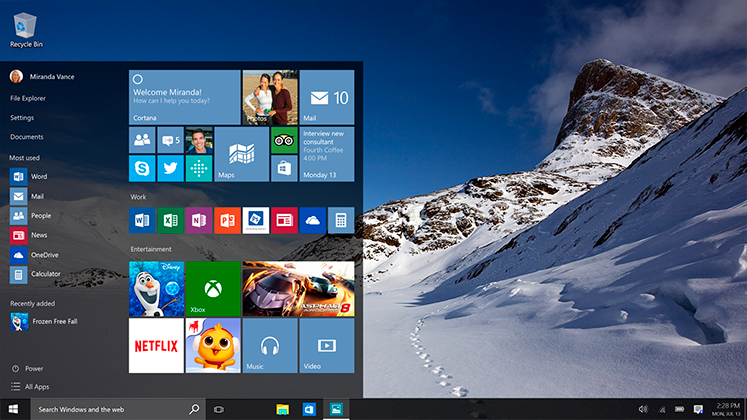
An Example of the Windows 10 Desktop

Friday, July 24, 2015

I have my I on U -- From iPhone Antagonist to Apologist

Over the years, I have had much debate on whether or not to jump in to the heated debacle that is the "Smartphone Wars." At one point, I had almost decided on either Windows or Ubuntu because I was familiar with both, and each provided me with a variety of smartphone hardware (as does Android), but with the consistent interface that iOS provides across its generations of devices.

Originally, I had planned to go with Android, along with the Ubuntu One app, which allows a user to boot Ubuntu from their Android device, while still keeping their Android installation intact. However, as years went on after I made this decision, Ubuntu and Android parted ways, and Ubuntu Mobile became its own separate distribution that installs itself in place of Ubuntu instead of alongside it as an app that boots using the Android kernel.

Upon learning this, I took some more time to think about my smartphone options. I had finally made my decision a couple of months ago to settle on Windows Phone. This was because of the consistent interface across different devices, and the fact that there was a very good piece of hardware that used and supported it -- The HTC One M8. My reasoning for going with Windows Phone was that I would be able to use Microsoft Office to edit and submit assignments on the go without having to pull out a heavy laptop, plus Windows 8 allows its users to download an app and use it on their desktop and mobile device, and I had heard that Windows 10 had improved this feature. 

My decision in this matter came to a crashing halt when Emily pointed out how uncomfortable it would be to create and edit documents on a five-inch screen, even though this was one of my arguments for getting a Windows Phone in the first place. I then decided to go with Android again, and I had settled on the decision to choose either the Motorola Moto X or Google Nexus 6 (the latter of which is also made by Motorola). My brother had decided to get an iPhone at this point because he was fed up with how glitchy Android was, and wanted a fresh start. Well, over time, we both switched sides when Emily's iPhone that her employer provided her with started having call (and other issues).

Emily's next step (after a failed attempt at having an Apple Store employee fix it) was to get her phone replaced. This meant that Emily would have an extra iPhone to use, so she offered it to me with no strings attached. She then offered it to me because it would mean that she would have a spare, and after some careful research and consideration, I accepted the offer. I also showed Matt the Motorola Moto X (and possibly Nexus 6) because he was diving into App development, and Android caters better to this anyway. 

Ironically, Emily was able to get her existing phone in working order (for now), so that put me back to the drawing board regarding how to get an iPhone in the first place.

Anyway, after my decision was made, I took the time to research what kinds of apps I would prefer to install on the phone itself. Also, because the iPhone has a reputation for being easily damaged, I looked for a cover to protect the device. For that, I picked one that looked like an early Macintosh and as a plus, was a joke to a cartoon that Matt and I used to enjoy. That can be found here.

Compy iPhone 5 sleeve
I showed the phone cover to Emily, and she thought it was clever, as well as reasonable. As for the types of apps I would want to start out with I looked through the Apple App Store via my web browser and came up with five candidates to start out with: 

5) WinZip - I initially decided on this app because I have used it before on Windows desktops, and it comes in handy sometimes. I also was not sure if iOS could natively handle ZIP files, and in that context, it seemed like a good idea to download it just in case.

4) Khan Academy App - This is a website that I use every day, and I was curious how the mobile app would be. I thought that it would also be a positive to not have to pull my laptop out or boot up my desktop in order to do a couple of math equations every day.

3) Fruit Ninja - There wasn't much logic to this choice. I mostly needed it to fill out the top five list, and it's just a fun game overall. I have tried it before on an Android tablet, and also at either Dave & Buster's or Scene 75. It's quite a fun game, and I would not mind playing it again. 

2) LDS Gospel Library - Practically every church member that I have met has this app (as well as others) and this will be a nice addition to my iPhone, as well as a relief on my shoulders so that I don't have to lug a large pair of scriptures and 5 manuals everywhere.

1) Roku Mobile App - I saved the best for last. When I moved out to Colorado, one of the things I forgot to take with me was batteries. I have three devices that require AA batteries, and one that requires AAA. Three of the four devices I have learned to work around. My desktop's TV tuner can be controlled by keyboard and mouse, so I do not need AAA batteries for my remote control right now. I brought a spare wired keyboard and mouse with me so that takes care of almost all of my AA battery problems. The only issue is that I do not have anything to control the Roku with, which is also where the AA batteries come in. With the Roku app for iOS, I will finally be able to set up and use the Roku without worrying if I am going to need to replace remote batteries (the iPhone has RC capability and a rechargeable battery).

A depiction of the iPhone 5 from the front, back, and side.

Thursday, July 23, 2015

Wait. It's Only Been Seven Days?!

Last week, I wrote a Top 5 post about a crop of Nintendo eShop games that I was interested in purchasing. This post was published on a Thursday, and as luck would have it, here I am, almost exactly one week to the day, and I am already writing a second post with more games to take into consideration. These are just as awesome as the first batch of games, and the best part is that they are all currently available, with no pending release date to wait for.

5) Puzzle Box Setup - (Nintendo 3DS) 

I watched the trailer for this, and at first glance, I was quite intrigued. The weirdest part of the demonstration video was probably the fact that the player turned the system upside down in order to play the game, but honestly, there have been Wario Ware mini-games that have required the same console orientation, so with that in mind, the weirdness wore off. My other impression was a touch of curiosity because the concept reminded me of pixel art.

4) Tetris Ultimate - (Nintendo 3DS) http://www.nintendo.com/games/detail/V5fIE81U3xMFEQjje2V33i1D-iwFAn-0

There isn't a Nintendo handheld in the world today (except probably the original Game & Watch) that would be complete without some variation of Tetris. This version, published by Ubisoft, shows lots of promise, and hopefully will be a lot better than its original Nintendo DS predecessor. At a cost of only $15-20, depending on sale prices, it's an investment that doesn't require too much risk on the consumer's part.

3) Smash Controller - (Nintendo 3DS) http://www.nintendo.com/games/detail/VmpYE_AjAlpxZvRYOerOrHkgincIINOl

Whilst initially looking at this option, one might think "Why would you include this option on a list such as this?" Well, given that the full Nintendo 3DS game costs almost as much as the Wii U version (which I'll add to this list next), ninety-nine cents does not seem like that much of an investment, especially considering most players would be more likely to play the Wii U version. Sure, there's no local multiplayer between Nintendo 3DS handhelds, but at a price of ninety-nine cents, I wasn't expecting too much of UI overhaul, anyway.

2) Super Smash Bros. - (Wii U) http://www.nintendo.com/games/detail/HPp-wrUaZHOKvK_GzCJ9eDkIom6x_TEA

For most people, this would probably take the coveted top spot for a list such as this, however, considering that this game requires a lot of extra controllers that a user doesn't necessarily have laying around, it takes the number two spot on my list. Besides, when you see number one, and my reasoning for it, you'll understand.

1) Punch-Out! (Wii) http://www.nintendo.com/games/detail/ZHP5TzdBJW6cYMf-0JGdbYCAIBvgTWLl

While it may seem odd for me to add a Wii game to a list of games to purchase for the Wii U, there is some logical thinking to this. A few months ago, Nintendo started adding Wii games to the Nintendo eShop lineup as downloads for the Wii U. This was one of them, as well as was the sequel to Super Mario Galaxy (which almost made this list). Initially, when Club Nintendo introduced a bunch of games to their reward lineup (before the program's discontinuation, which I mentioned in my Facebook note regarding the rewards program), they re-introduced a smaller version where you fight against your trainer, Doc Louis. I redeemed this version with some of my Club Nintendo points, and at first, it was awesome. However, I realized that there were no other opponents and decided that the full Wii version would be worth investing in, especially after reading reviews that said the downloadable version on the eShop was equal to its disc-based counterpart.